
# 🧭 路径点
# 🚀 新手入门
# 1. 核心功能认知
什么是Waypoints?
通过可视化导航系统帮助玩家定位关键位置,支持头顶指针指引、路径粒子规划,是探险家和建筑党的必备工具!
# 2. 快速开始
bash
# 打开导航GUI(默认手持指南针右键)
/waypoints

# 创建第一个私人路径点
/waypoints set [id]

# 设置公共路径点(所有玩家可见)
/waypoints setPublic [id]# 🧩 核心玩法
# 1. 路径点类型
| 类型 | 创建命令 | 特性 |
|---|---|---|
| 私人路径点 | /waypoints set <名称> | 仅自己可见 |
| 公共路径点 | /waypoints setPublic <名称> | 所有玩家可见 |
| 临时路径点 | /waypoints setTemporary x y z | 本次登录有效 |
# 3. 可视化导航系统
bash
# 选择导航目标(自动触发视觉指引)
/waypoints select [id]查看头顶方向指针(动态旋转) 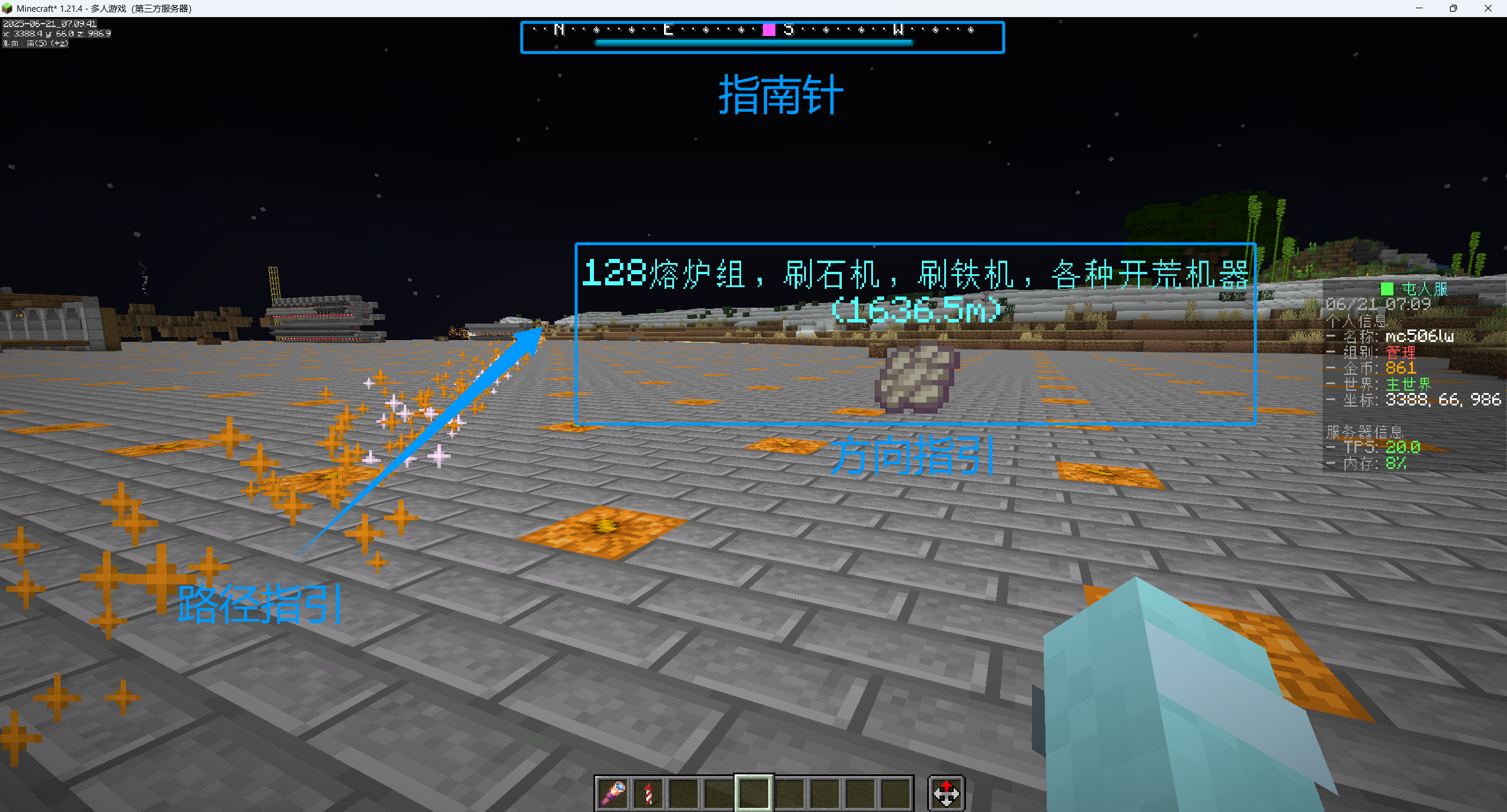
# 🛠️ 使用技巧
# 1. GUI操作指南
/waypoints 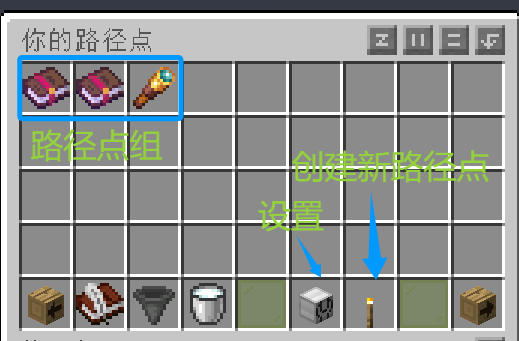
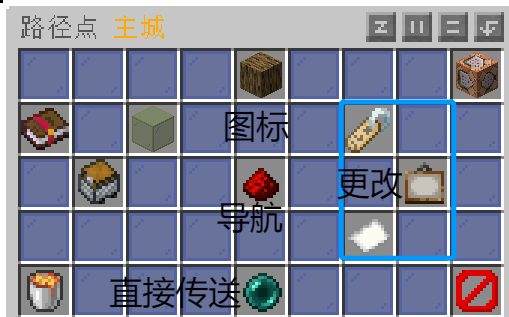
# 📋 快捷命令速查
# 基础操作
bash
/waypoints select <名称>        # 选择导航目标
/waypoints teleport <名称>      # 传送到路径点
/waypoints set <名称>           # 创建私人路径点
/waypoints setPublic <名称>     # 创建公共路径点